LINKEDIN SEARCHREDESIGN
Redesigned LinkedIn search to empower LinkedIn members to seamlessly find and discover communities, knowledge, and opportunities that support their professional success.
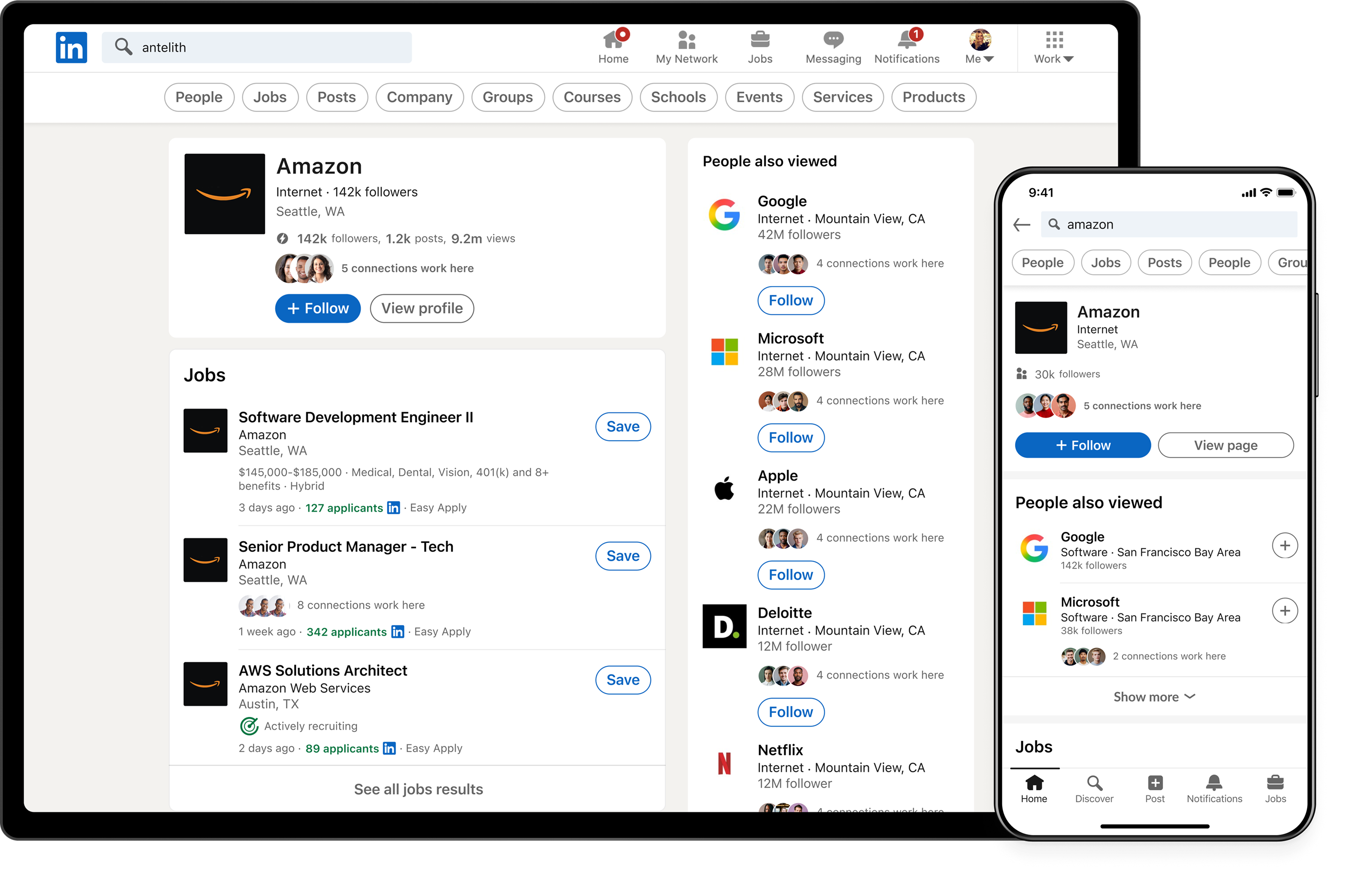
Planning and process
We leveraged design to maximize member, organization and business impact.
Discovery and alignment
Delved into past UXR, VOM, metrics and product walkthroughs to align on member problems and business objective.
Design Sprint, UXR
I planned and conducted a 1-week design sprint to align, collaborate, ideate and test early concepts with users.
Reusable search
Turned search components into broader framework to power content cards and filters on any LinkedIn page.
Design Deliver
We presented our design to exec leadership including the CEO and delivered end to end design and specs.
Development and Ramp
We launched the design. I conducted polish workshops to fix bugs faster and launch a great first experience.
Target users

Jack
Jack is looking for 1 specific thing or 1 specific type of thing — like a person, or a job for a role.

Kacey
Kacey has a goal in mind and needs to discover a variety of results to accomplish that professional goal.
Discovery
Search failed to help users find and discover communities, knowledge, and opportunities
Over 75% of searches were abandoned at the autocomplete
Users struggled to find relevant results and many didn’t go beyond the query formulation phase
Discovery was limited
Search was heavily optimized for people and jobs, while other result types received little visibility or engagement
Design debt and usability
Inconsistent interactions, and confusing behaviors made search difficult to learn and predict
Users say
LinkedIn search is only for looking up people and finding jobs
Autocomplete doesn’t work as expected
“I want LinkedIn to help complete my query and guide me toward relevant results”
I only see job and people
“I can’t discover things unless I already know they exist”
“I can’t find the communities, knowledge, and opportunities I need to succeed”
Search is hard to use
I can’t predict what results I’ll see. Autocomplete, Search results page and filter are hard to use.
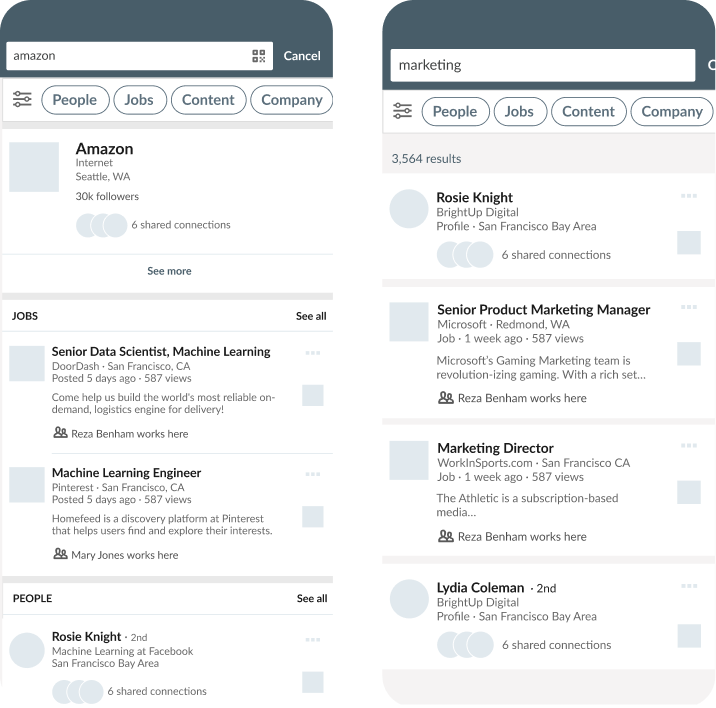
Before redesign
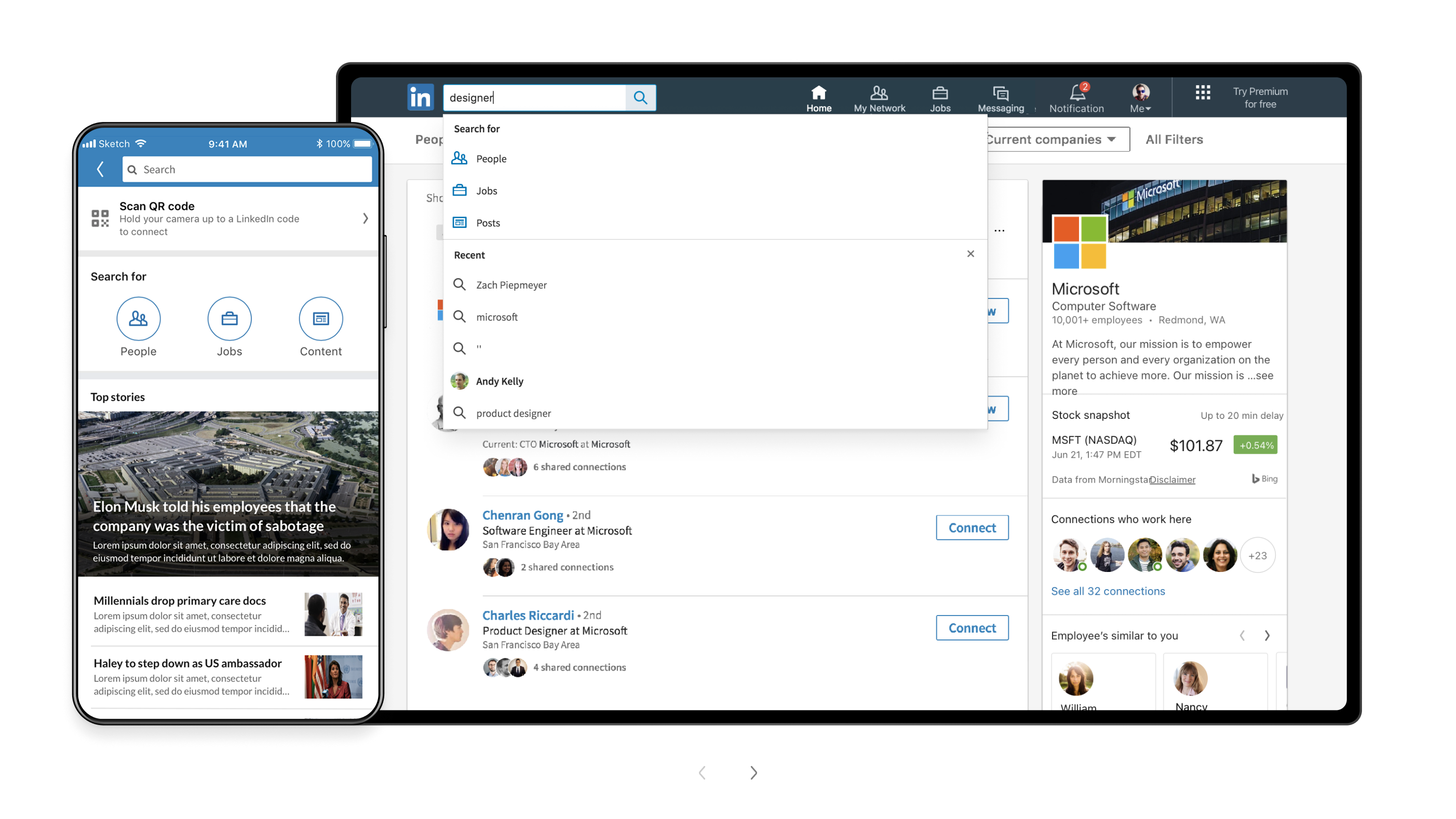
Design sprint
I planned and conducted a 5-day design sprint with my team inspired by Google design sprint → 8 collaborative sessions with a cross-functional team where we aligned on problem, generated ideas, designed solutions and validated our work with UXR.
Early validation
I conducted a quick UXR on top-voted ideas at the end of the design sprint. We validated our hypothesis and narrowed down to the best designs through concept testing.
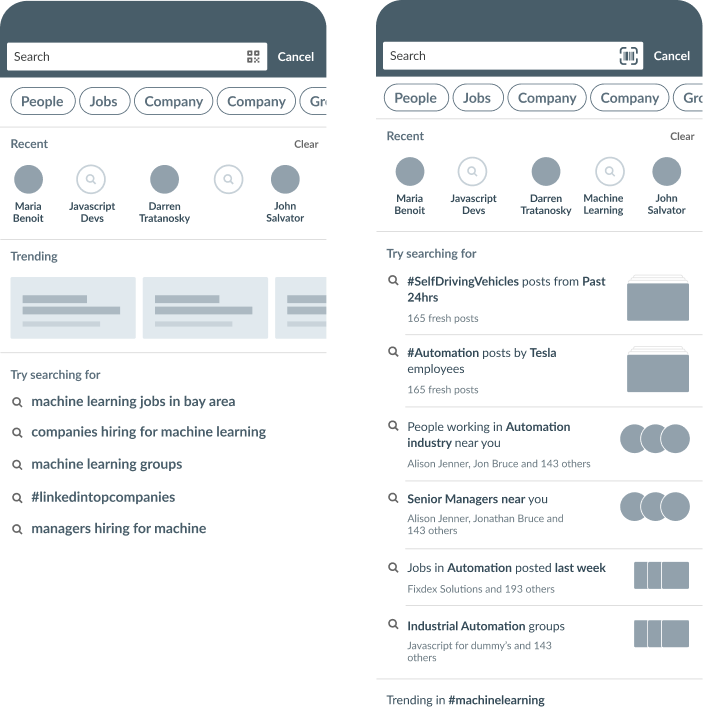
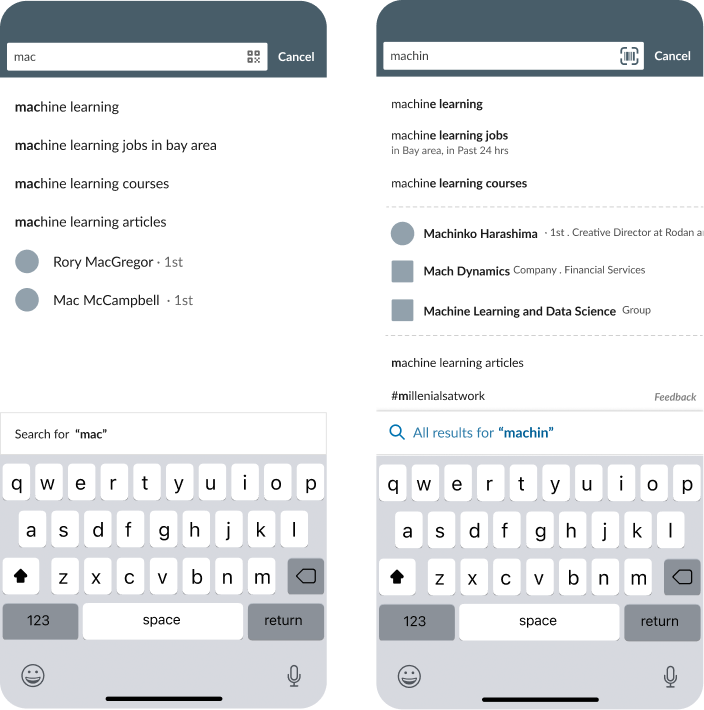
Reusable search
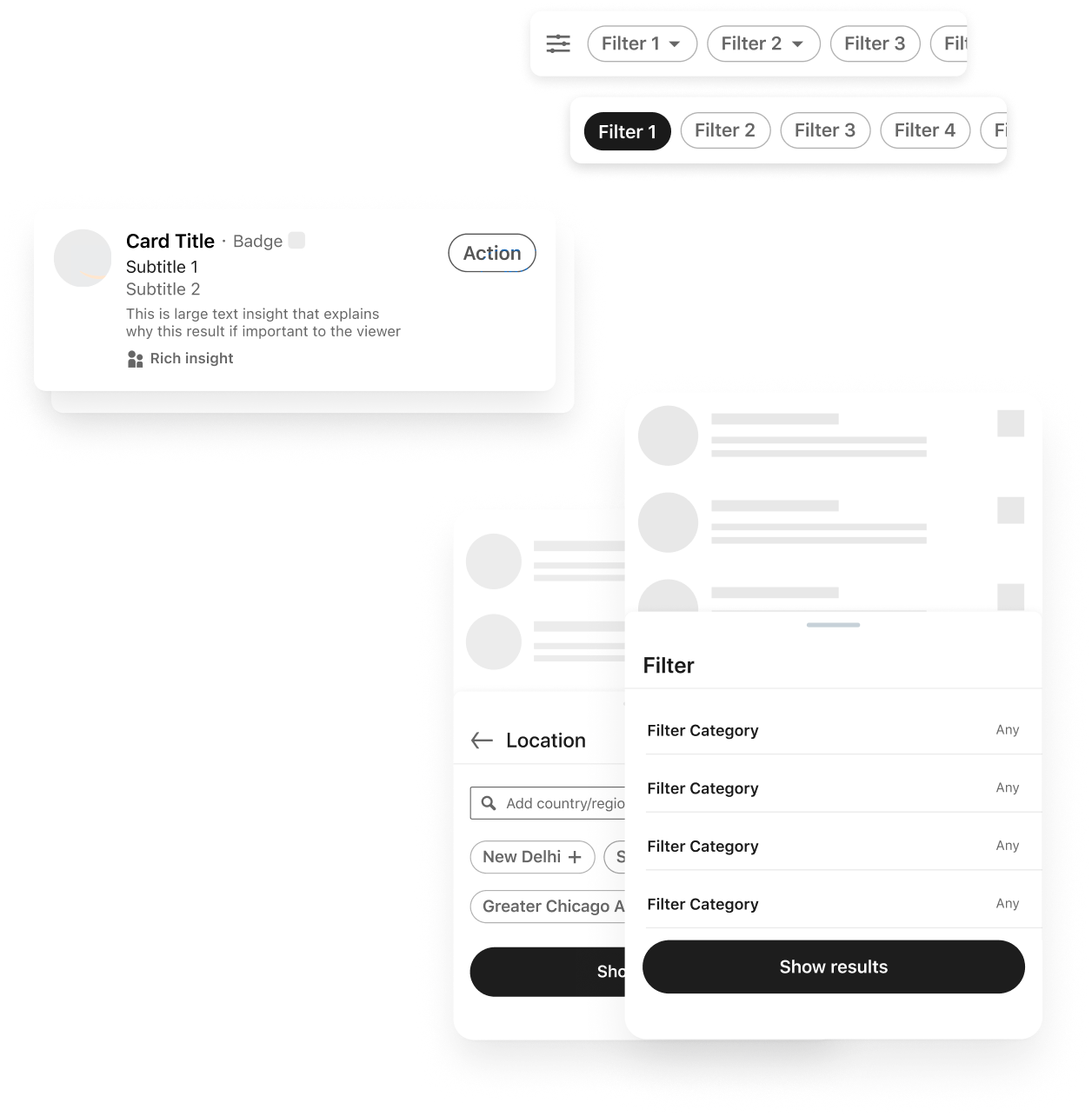
- We maximized impact by designing the foundational search components to power any page that required entity cards and filters.
- We worked with 3 teams to ensure the search components are designed to work for their use cases as well.
- I worked on the filter framework and managed 2 junior designers who worked on the entity templates.
Strategy
Design a holistic search that helps members find and discover what is important to them professionally
Handle very broad to very specific intent
Help users find what they are exactly looking for and enable discovery to narrow down from broad to specific intent
Provide a 360 view
What users already know they need — and the opportunities they haven’t discovered yet
Consistent and predictable UX
Help users learn patterns faster and search more efficiently which helps build trust and confidence in the system
Personalized and adaptive
Design an experience that transforms based on what is relevant to any user persona
The new search
Query formulation
- Simplified empty search with intelligent query suggestions to improve discovery.
- Streamlined autocomplete behavior with contextual suggestions and richer results.
- Easily discover recent queries and continue where you left off.
- Improved layout for easy scanability and quick recognition.
Search results
- Hero result to serve specific intent.
- Category clusters for a 360° view of the query, enabling broader discovery.
- Result tail to enable deeper discovery into one result type.
- Improved usability through visual and interaction design updates.
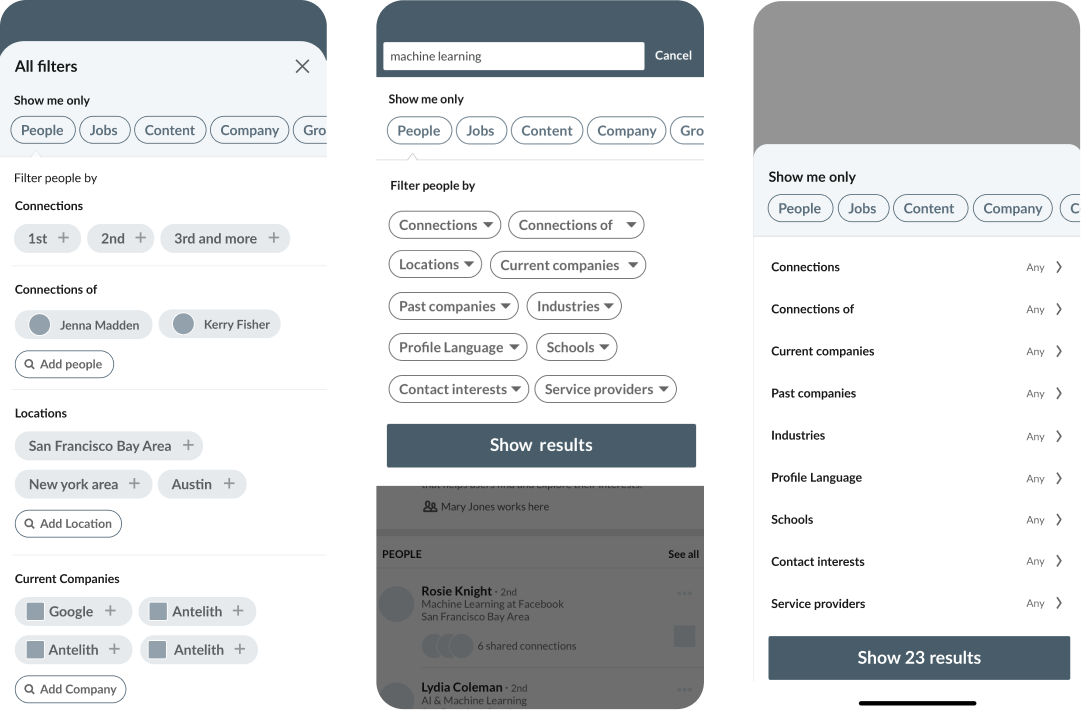
Search filters
- Leverage more contextual patterns to enable easier back and forth.
- Clear and consistent.
- Discover all result types.
- Built as a reusable component and powered other experiences across the LinkedIn ecosystem.
Company search on web demo